用 ChatGPT Atlas 的 Agent 模式清理 Facebook 信息流
原文标题:Fixing my Facebook feed with ChatGPT Atlas
作者用 ChatGPT Atlas 的 Agent 模式自动清理 Facebook 信息流,通过一段提示词让智能体持续滚动页面、隐藏赞助帖并对含 Follow/Join 链接的帖子点“不感兴趣”,最终信息流只剩自己关注的人发布的真实帖子。作者对 AI 浏览器的提示注入风险仍持警惕,表示目前不会把银行或邮箱凭据交给这类浏览器。
当前语言的正文正在等待翻译,暂时显示原文。
I'm pretty leery about "AI Browsers" for all the reasons that Simon is concerned about them
The prompt injection risks are real. And really serious.
At least as of now, I can't imagine giving one of these browsers credentials for my bank or even for my email.
That said, having played around with ChatGPT Atlas this morning, I am incredibly satisfied with how effective its "Agent mode" can be.
It turns out that if you click "Not interested" on enough ads and suggested posts. Facebook actually stops showing them to you across all your devices for somewhere between a few days and a month. Scripting that with traditional browser automation is a little bit annoying. Before today, the only way I'd ever triggered "normal feed" mode was to scroll my feed for the better part of an hour and manually dismiss every ad or suggested post.
Thanks to Atlas, my Facebook feed now consists only of actual posts from people I follow.
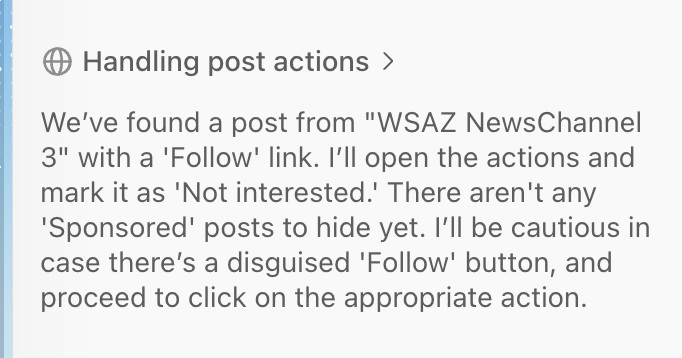
This is the prompt I used:
Goal: Continuously scroll the Facebook feed and clean it by hiding sponsored posts and uninterested content.

Step 1: Scroll Feed

Begin at the top of the Facebook home feed.

Continuously scroll downward to load posts dynamically.

Step 2: Handle Sponsored Posts

For each post detected:

If the post is labeled “Sponsored”:

Click the "..." (options) button in the post header.

From the dropdown menu, click “Hide ad.”

Wait for the modal dialog to appear, then click the “X” to close it.

Continue scrolling.

Step 3: Handle Posts with “Follow” or “Join” Links

For each post detected:

If the post header includes a “Follow” or “Join” link:

Click the “X” in the top-right corner of the post to dismiss it.

Continue scrolling.

If the post header includes only a “Follow” link (and no “Join” link):

Click the "..." button in the header.

From the menu, click “Not interested.”

Do not perform any confirmation actions—just continue scrolling.

Step 4: Continuous Scrolling

After each action (hide, not interested, or close), continue scrolling down.

The page will load additional posts automatically.

Step 5: Refresh Cycle

When the end of the feed is reached or after a reasonable batch (e.g., no new posts requiring action detected within 10 seconds):

Reload the page.

Repeat Steps 1–4.

Terminate when two consecutive reloads yield no actionable posts (no Sponsored, Follow, or Join headers).

Notes for the Agent

Prioritize button labels and text content detection over visual similarity.

Ignore posts without “Sponsored,” “Follow,” or “Join.”

Avoid screenshots unless DOM inspection fails to identify these labels.

If there are any unexpected elemnts, just ignore them.   Click 'No" for any dialog asking about remembering passwords or staying logged in
来源:Jesse Vincent · blog.fsck.com